
Appearance
Managing Links
TL;DR: The Links dashboard lists all your masked links with status, click count, and destination. Search by keyword, filter by category or tag, and export link data. Click any link to view its report or edit its settings.
View, search, filter, and take action on your links from the central link list.
Link List View
Go to Link Manager → Pretty Links to open the link list.
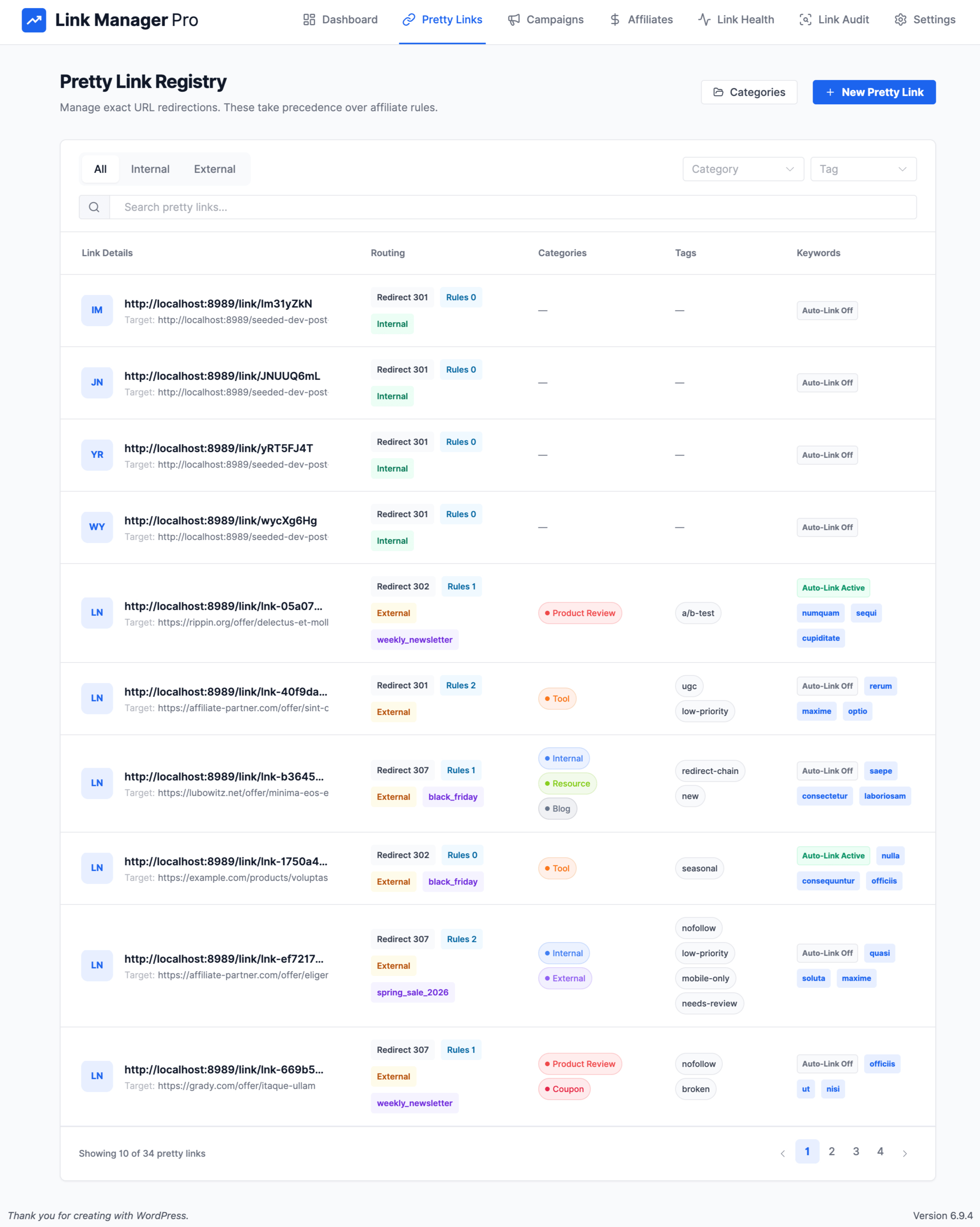
The list displays the following columns:
| Column | What It Shows |
|---|---|
| Link Details | The full masked URL (clickable, opens in a new tab) and the destination URL |
| Routing | Redirect type (301, 302, 307), number of conditional routing rules, and an internal/external badge |
| Categories | Assigned categories for the link |
| Tags | Assigned tags for the link |
| Keywords | Auto-link status (enabled/disabled) and assigned keywords |
| Engagement | Total click count for the link |
| Created | Date the link was created |
| Actions | Copy, QR code, edit, and delete buttons |
Search and Filtering
Search
Use the search bar at the top of the link list. Search matches against:
- Destination URL
- Slug
- Keywords
Type your query and the list filters in real time.
Filters
Use the tab bar and dropdowns above the list to narrow results:
| Filter | How It Works |
|---|---|
| All / Internal / External tabs | Switch between all links, links whose destination matches your site domain (internal), or links pointing to other domains (external) |
| Category | Select a category from the dropdown to show only links assigned to it |
| Tag | Select a tag from the dropdown to show only links assigned to it |
Combine filters with search for precise results. The list supports pagination for large link sets.
Link Actions
Each link row provides the following actions:
| Action | How to Access | What It Does |
|---|---|---|
| View Report | Click anywhere on the row | Opens the detailed per-link report with clicks, device/OS/country/referrer breakdowns |
| Edit | Click the edit icon | Opens the link editor to modify any field |
| Delete | Click the trash icon | Permanently deletes the link (confirmation popup appears) |
| QR Code | Click the QR code icon | Opens a dialog with a QR code for the masked URL (see QR Code below) |
| Copy | Click the copy icon | Copies the full masked URL to your clipboard |
Per-Link Report
Click any row in the link list to open the detailed report for that link.
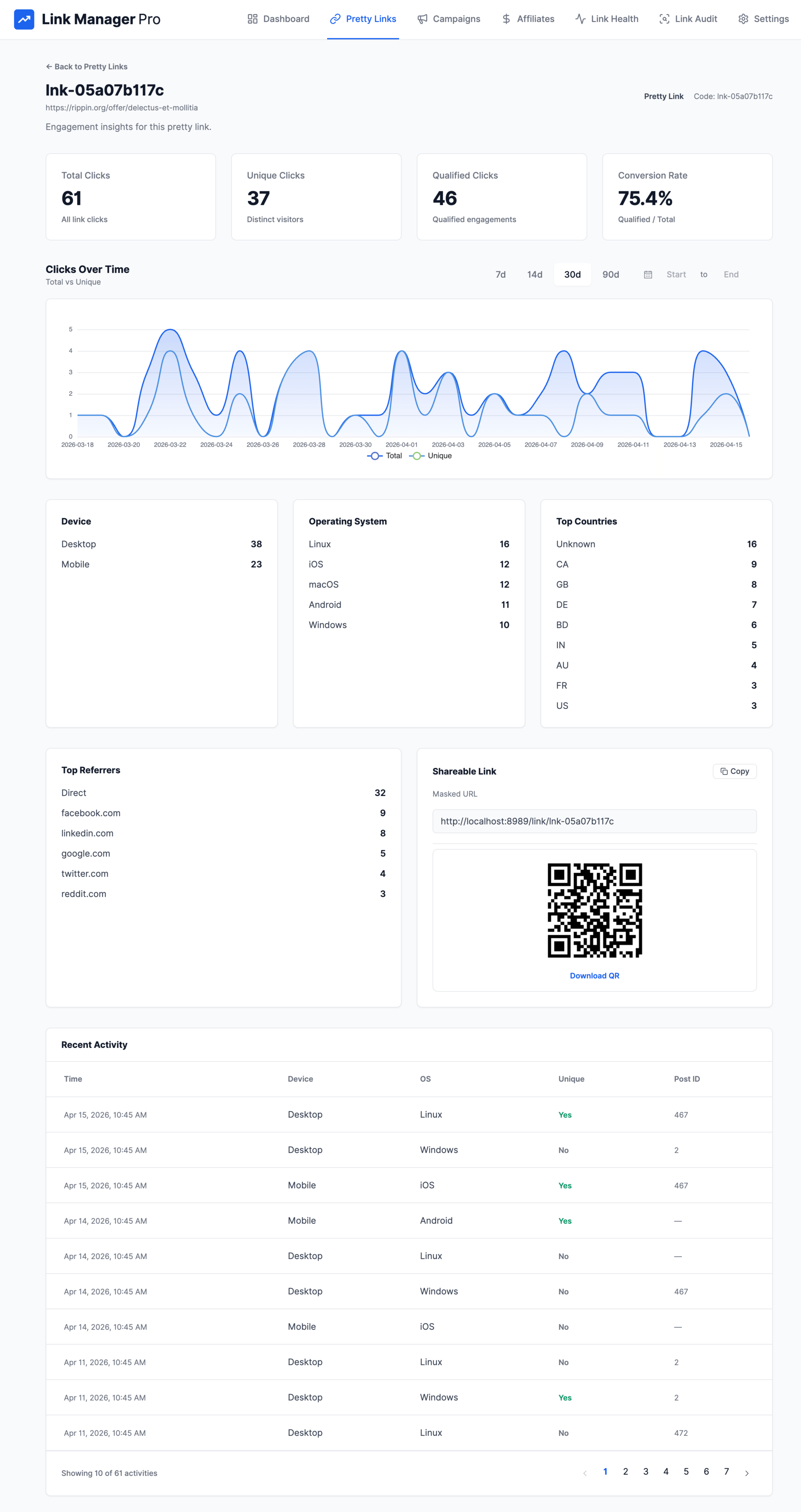
Summary Metrics
| Metric | Description |
|---|---|
| Total Clicks | Total number of click events |
| Unique Clicks | Distinct visitor clicks |
| Qualified Clicks | Clicks that originated from within your site content |
| Conversion Rate | Ratio of qualified clicks to total clicks |
Clicks Over Time
A time-series chart showing total vs. unique clicks. Select a date range to zoom into a specific period.
Device Distribution
Breakdown of clicks by device type:
- Desktop
- Mobile
- Tablet
- Other
Operating System
Breakdown of clicks by OS family:
- Windows
- macOS
- iOS
- Android
- Linux
- Other
Country Breakdown
Click distribution by visitor country, displayed as 2-letter country codes.
Referrer Domains
Top domains that sent traffic to this link.
Recent Activity
A paginated list of recent individual click events for the link.
Shareable Link and QR Code
The report sidebar displays a Shareable Link card with:
- Masked URL — the full masked URL for the link. Click Copy to copy it to your clipboard.
- Tracking params — if you have global tracking parameters configured, they appear here.
- QR code — a QR code image rendered inline. Click Download QR to save it as a PNG file.
QR Code
You can generate a QR code for any link from two locations:
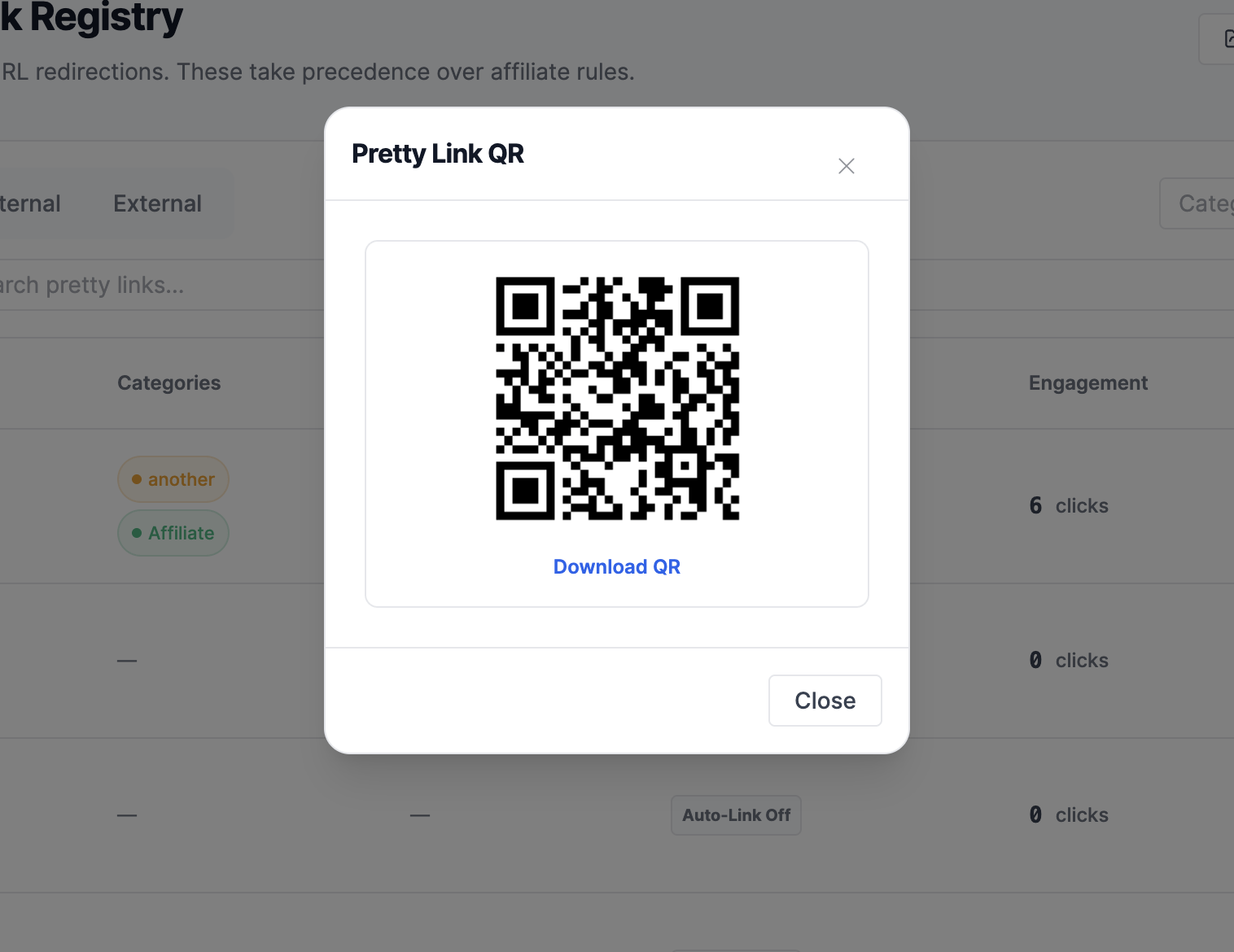
From the link list: Click the QR code icon in the actions column. A dialog titled Pretty Link QR opens with the QR code image and a Download QR link.
From the link report: The QR code appears inline in the Shareable Link card on the right side of the report page.
The QR code encodes the full masked URL (including any global tracking parameters you have configured). The download saves a 192×192 pixel PNG file named pretty-link-{slug}.png.
Import and Export
For full import and export instructions — including JSON backup, JSON restore, and CSV export — see Backup & Restore.