
Appearance
Installation
TL;DR: Upload the plugin ZIP file through your WordPress admin at Plugins → Add New → Upload Plugin, then activate it. The plugin creates its database tables automatically on first activation. No configuration is required before you start.
Install Link Manager Pro on your WordPress site using one of the methods below.
Prerequisites
- WordPress 5.8 or higher
- PHP 8.0 or higher
- Administrator access to your WordPress dashboard
For full details, see System Requirements.
Method 1: Upload via WordPress Admin (Recommended)
- Download the
link-manager-pro.zipfile from your purchase confirmation or account page. - In your WordPress admin, go to Plugins → Add New.
- Click Upload Plugin at the top of the page.
- Click Choose File, select the
.zipfile, then click Install Now. - After the upload finishes, click Activate Plugin.
Method 2: Manual FTP Upload
- Download and unzip the
link-manager-pro.zipfile on your computer. - Connect to your server using an FTP client (FileZilla, Cyberduck, etc.).
- Upload the
link-manager-profolder to/wp-content/plugins/. - In your WordPress admin, go to Plugins.
- Find Link Manager Pro in the list and click Activate.
What Happens on Activation
When you activate the plugin, three things happen automatically:
- Database tables — The plugin creates the tables it needs for links, clicks, redirects, and other data.
- Permissions — The plugin registers the
manage_link_manager_procapability for the Administrator role. - Rewrite rules — The plugin refreshes WordPress rewrite rules so that masked link URLs (e.g.,
yoursite.com/go/slug) resolve immediately.
When you open the plugin for the first time, the onboarding wizard appears. It walks you through initial configuration, privacy settings, and a full site scan. See Quick Start for a step-by-step walkthrough.
Verify the Installation
After you complete the onboarding wizard, confirm that everything is working:
- Admin menu — Check that Link Manager appears in your WordPress sidebar with these sub-items: Dashboard, Pretty Links, Link Audit, Campaigns, Affiliates, Link Health, and Settings.
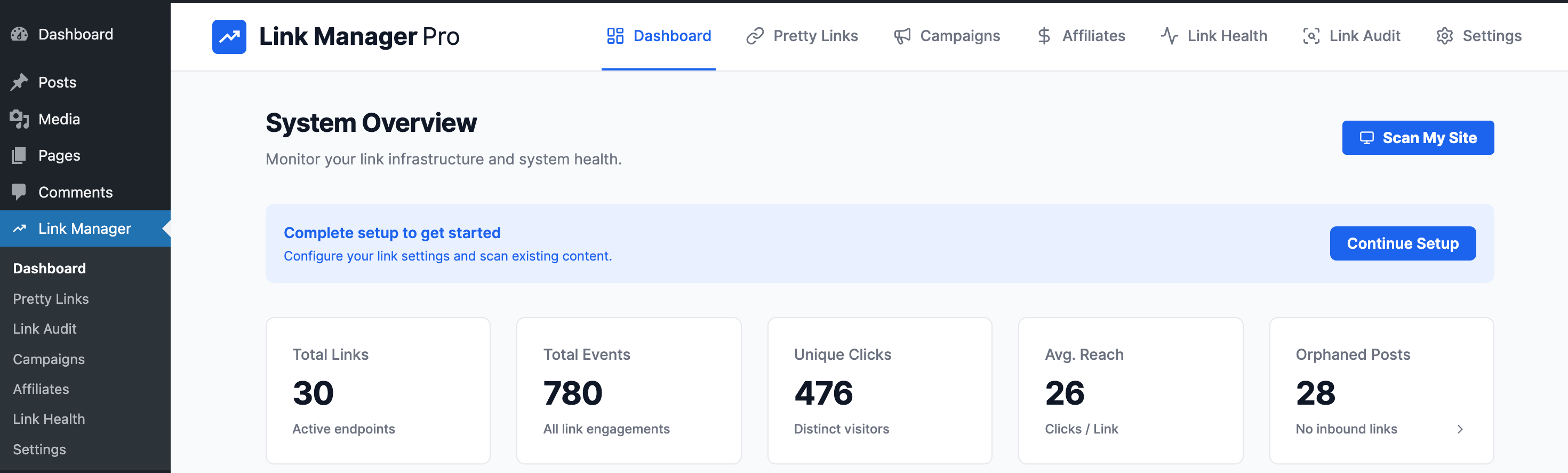
- Dashboard — Click Link Manager and verify that the Dashboard loads without errors.
- Test a masked link — Create a test link (or use one discovered by the site scan), then visit
yoursite.com/go/your-slugin a new browser tab. You should be redirected to the destination URL. - Click tracking — After visiting the test link, return to Pretty Links and confirm that the click count incremented.
If any step fails, check System Requirements or contact support at https://linkmanagerpro.com/support.